
GPS Measurement Tool1.6.3 - Google Play
You'll be able to see results in few seconds.
Publisher Description
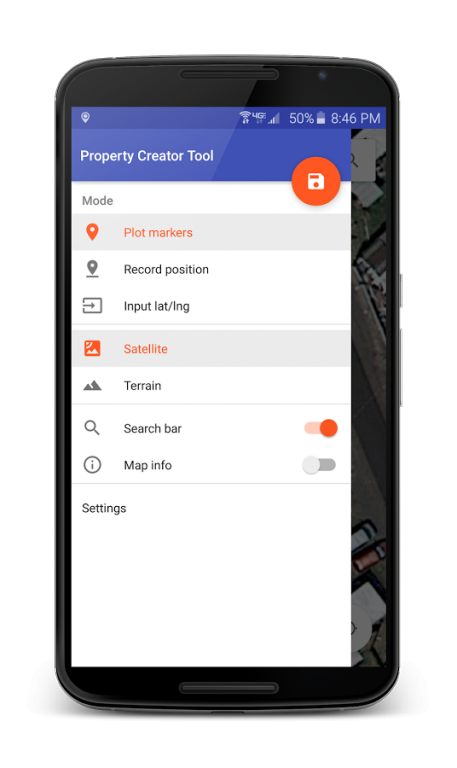
GPS Measurement Tool can be used to measure area, distance, perimeter, location, and boundary lines. You do this by plotting an area of land by placing markers, by inputting latitude/longitude positions, or by recording your physical location (Planimeter). You are then able to save the plotted area of land for later use. There are many ways to use this app. For example: you might use this app as you walk a property you are interested in purchasing; all you need to do is to plot the property boundaries, save the property, and then view your physical position relative to the current property boundary.
This app has many useful features and can measure area and distance in various units. It can measure distance between points, and can keep you on track when you're walking a property using your location.
This app is now offered free of charge!
FEATURES:
- Accurate property area and distance calculations (see screenshot for proof)
- Displays your current location on the map
- Option to change map types
- Screenshots of map created when properties are saved, making it easy to find them in your property list
- Metric and standard unit options (m, km, ft, yards, acres)
- Display of Latitude/Longitude position when marker is tapped
- Map gestures for scrolling, zooming, and tilting the map view
- Global location search
- Placed Markers are auto-centered in the creator
- Quick actions that allow you to:
- Undo last point
- Close the drawn area
- Reset the map
- Options to display/hide certain UI components
- Ability to place map markers in 3 different ways:
- Touch location on screen
- Input Latitude/Longitude value manually
- Record current position
- Available for use on as many devices as you like
Side Notes:
- Please enable location services on your device for this app to function correctly.
About GPS Measurement Tool
The company that develops GPS Measurement Tool is Orange Sunshine Apps. The latest version released by its developer is 1.6.3.
To install GPS Measurement Tool on your Android device, just click the green Continue To App button above to start the installation process. The app is listed on our website since 2016-11-13 and was downloaded 0 times. We have already checked if the download link is safe, however for your own protection we recommend that you scan the downloaded app with your antivirus. Your antivirus may detect the GPS Measurement Tool as malware as malware if the download link to com.meister.gpsmeasurementtool is broken.
How to install GPS Measurement Tool on your Android device:
- Click on the Continue To App button on our website. This will redirect you to Google Play.
- Once the GPS Measurement Tool is shown in the Google Play listing of your Android device, you can start its download and installation. Tap on the Install button located below the search bar and to the right of the app icon.
- A pop-up window with the permissions required by GPS Measurement Tool will be shown. Click on Accept to continue the process.
- GPS Measurement Tool will be downloaded onto your device, displaying a progress. Once the download completes, the installation will start and you'll get a notification after the installation is finished.
Program Details
System requirements
Download information
Pricing
Version History
version 1.6.3
posted on 2016-11-13
- Bug Fixes
version 1.6.1
posted on 2016-10-30
- Fixes various bugs
Disclaimer
Official Google Play Link
We do not host GPS Measurement Tool on our servers. We did not scan it for viruses, adware, spyware or other type of malware. This app is hosted by Google and passed their terms and conditions to be listed there. We recommend caution when installing it.
The Google Play link for GPS Measurement Tool is provided to you by apps112.com without any warranties, representations or guarantees of any kind, so access it at your own risk.
If you have questions regarding this particular app contact the publisher directly. For questions about the functionalities of apps112.com contact us.
